QUESTIONS · EXPORTING
How do I combine multiple NotebookLM notes and reports into one PDF?
Direct answer
NotebookLM only exports one note at a time to Google Docs and cannot merge multiple notes into one document. With NotebookLM Ultra Exporter Pro, open Studio Batch Export, check the notes and reports you want in order, and choose Merged PDF or Merged Word (.docx) to generate one continuous file with clean pagination and optional cover branding.
Best suited for
Students compiling an entire semester study guide packet, and consultants bundling Briefing Docs and saved notes into a single deliverable PDF or Word handbook
Prerequisites
- Two or more saved notes or Studio reports inside a NotebookLM notebook
- Ultra Exporter installed in desktop Chrome (Merged single-file export requires Pro; Free batch-exports up to 5 separate files)
What to do
- Install NotebookLM Ultra Exporter in desktop Chrome, then refresh any open NotebookLM (Gemini Notebook) tab.
- Open your notebook in NotebookLM and review your saved Notes and Studio Reports (Study Guides, Briefing Docs, FAQs).
- Open Ultra Exporter’s Studio Batch Export, select the items you want included, and arrange their sequence.
- Choose Merge into one PDF or Merge into one Word (.docx) (Pro), pick one of your saved Document Templates if branding a client packet, and download.
What to know
- Free Studio Batch Export saves up to 5 separate files per batch (using the shared 5/day Word/PDF allowance).
- Pro Merged Export combines unlimited selected notes and Studio reports into a single continuous PDF or Word document with a unified table of contents and optional cover page.
- For offline reading without Pro, export multiple notes to free Markdown and combine them in Obsidian or Pandoc.
Downloadable verified test files
Google changes these menus often. The item's own menu in your notebook shows what is built in today.
Plan requirement
The basics are free; the advanced options listed on this page need Ultra Exporter Pro. Pro covers the extension only; it does not include a Google subscription or raise NotebookLM / Gemini Notebook's own limits. Current prices are on the pricing page.
Follow-up questions
Can Free users merge multiple NotebookLM notes into one PDF?
Free batch export saves up to 5 individual files per batch (sharing 5/day PDF/Word quota). Combining several notes and reports into one continuous merged PDF or Word file is a Pro feature.
Can I add a cover page, logo, and page numbers to a merged PDF?
Yes — Pro Document Templates let you configure up to 20 reusable cover layouts, logos, brand colors, headers, footers, and page numbering.
Does merged export include my chat history too?
Save important chat answers to Notes first, or archive the entire notebook as a structured Markdown/ZIP bundle if you need notes, chats, and Studio items together.
What is the best free route to read a long NotebookLM study guide offline?
Export a single Study Guide report to PDF (within 5/day free quota) or export unlimited notes to Markdown for Obsidian/any offline reader.
Verified sources & external references
- NotebookLM Help Center — Google Supportofficial
Native Google Docs/Sheets exports, Studio outputs, and source limits.
Complete workflow guide
How to Export NotebookLM Notes & Reports to Word (.docx) & PDF with Editable Equations & Tables
Stop broken `$...$` math and clipped print-to-PDF tables. Export NotebookLM / Gemini Notebook notes and reports locally to Word (.docx) with native OMML equations, clean PDF, or unlimited Markdown & LaTeX.
Related guides
Merge NotebookLM notes and reports into one document. You get a single document built from the notes and reports you select, in the order you set, with a.
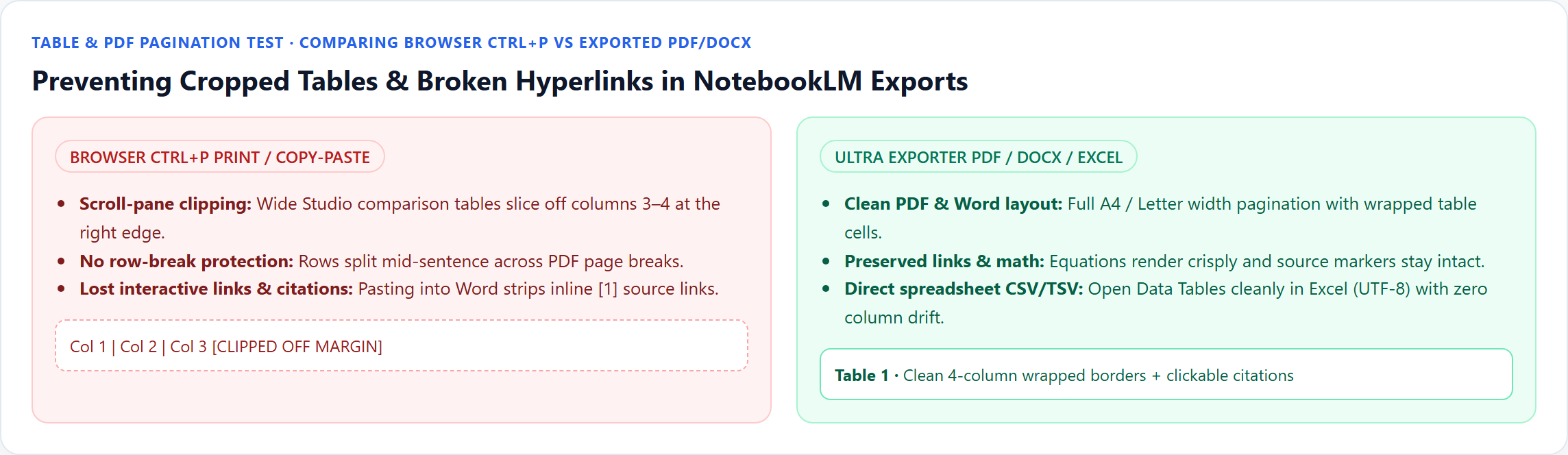
Printing directly from Chrome (Ctrl+P) breaks wide NotebookLM tables because Google’s Studio pane clips horizontal overflow and lacks print pagination rules.
NotebookLM has no print layout, so printing the page gives a cropped screenshot of the app. Export the note or report to PDF first, then print the PDF.
Document templates give Word and PDF exports from NotebookLM a consistent look: a cover page, author or organization, logo, fonts, brand colour, header and.
Copying equations from NotebookLM with Ctrl+C pastes duplicate hidden KaTeX accessibility text and strips inline citation chips.
Google’s native mind map download saves one flat bitmap PNG of expanded branches, which blurs or shrinks to unreadable text on standard paper.
NotebookLM runs quizzes interactively in the browser with no print or worksheet download. With NotebookLM Ultra Exporter, open the quiz and export a free.
Partly. NotebookLM (Gemini Notebook) can send notes and reports to Google Docs, data tables to Google Sheets, and download slides, flashcards, infographics.