INTERACTIVE WEBPAGES & HOSTED SHARING
How to Create & Share Interactive Webpages from NotebookLM / Gemini Notebook (No Google Login)
Turn Gemini Notebook / NotebookLM sources into branded interactive webpages with 8 purposes, 12 styles, free HTML downloads, and Pro hosted links with mobile QR codes.
Quick Answer
Direct answer: Gemini Notebook (formerly NotebookLM) can generate interactive sites from your sources via chat, but native prompting is manual and Google Workspace or account policies often block external sharing. Ultra Exporter is the first NotebookLM Chrome extension with a built-in Webpage Creation Assistant (8 purposes, 12 design styles, brand guidelines, source-grounding rules), free Dashboard webpage discovery & HTML downloads, and Pro standalone hosting on share.nlmexporter.com with mobile QR codes and no Google sign-in required.
Why native Gemini Notebook webpage creation & sharing stalls in real work
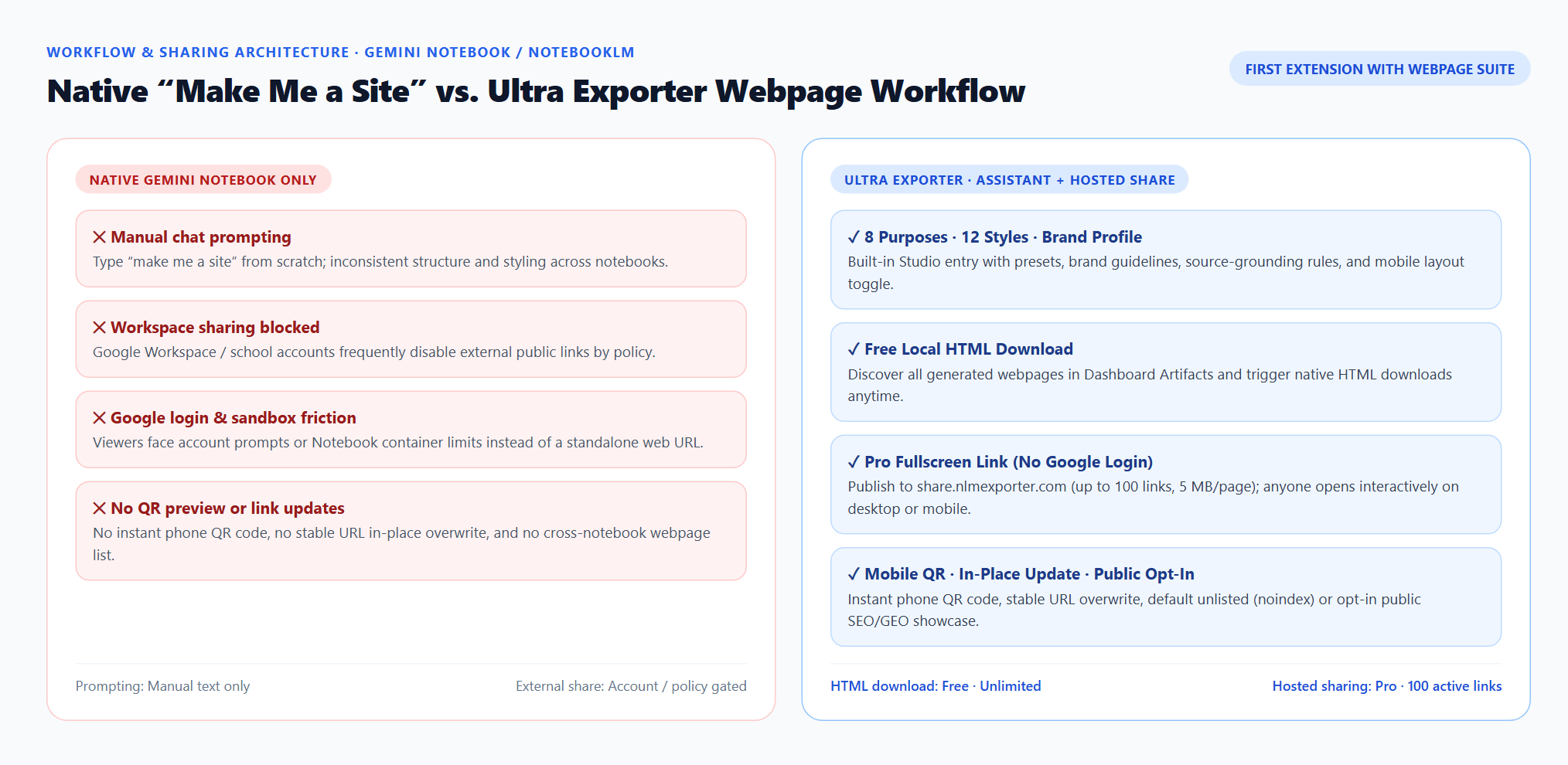
- Manual “make me a site” prompts yield inconsistent layouts and invented metrics: without explicit layout, palette, and evidence rules, pages often drop source citations, turn missing values into zeros, or overflow on phones.
- Google Workspace and school accounts often block external site sharing: organizational admins frequently disable public links, leaving clients, students, or outside reviewers locked out.
- Google sign-in and sandbox friction hurt reader experience: recipients want a clean fullscreen web URL they can open on desktop or scan on their phone—not a Google login wall or cramped Notebook container.
- No brand reuse, no QR preview, and no cross-notebook webpage hub: brand rules must be re-pasted every time, and generated webpages stay scattered across separate Studio panels with no stable URL updates.
Native Gemini Notebook vs. Ultra Exporter Free & Pro (Webpages)
| Webpage workflow | Native Gemini Notebook | Ultra Exporter Free | Ultra Exporter Pro |
|---|---|---|---|
| Studio entry & purpose presets | Manual “make me a site” chat prompt | 4 structured purposes (Comparison, Explainer, Dashboard, Tracker) + one-click examples | All 8 purposes: adds Client Proposal, Learning Center, Research Review & Knowledge Base |
| Visual styles, palettes & brand guide | Unstructured free-text styling only | 4 styles + 4 palettes + saved local brand instructions + checked source as brand guide | All 12 styles (Consulting, Academic, Dark Tech, Editorial, etc.) + Wisteria & custom primary color |
| Evidence grounding & mobile layout | Depends on user prompt discipline | Built-in anti-hallucination rules (facts vs assumptions, missing vs 0, source citations), 3 densities, mobile toggle, 4 languages | Same strict grounding across all Pro consulting, academic, and course templates |
| Dashboard discovery & HTML download | Open each notebook’s Studio manually | Discover & filter webpages in Dashboard Artifacts, open preview, and trigger native HTML download free | Includes centralized Hosted Share manager across all notebooks |
| External sharing & mobile QR code | Account / Workspace policy gated; no QR code; isolated inputs | Download HTML free and self-host on Netlify, Vercel, or GitHub Pages | One-click hosting on share.nlmexporter.com (no Google sign-in, 100 links, 5 MB/page, instant QR code, stable URL updates) |
| Privacy vs. SEO / GEO public discovery | Not indexed for public showcase discovery | Local HTML remains private on your computer | Unlisted (noindex) by default; opt in anytime to publish to share.nlmexporter.com directory (OG, JSON-LD, sitemap & llms.txt) |
Step-by-step: build a branded NotebookLM webpage and share it anywhere
1. Select the exact sources in Gemini Notebook / NotebookLM
Check only the PDFs, notes, spreadsheets, or web sources you want grounded in the webpage. If you uploaded a style guide or brand brief as a source, keep it checked so you can pick it as your brand source.
2. Click “Create website” in Studio to open the Webpage Creation Assistant
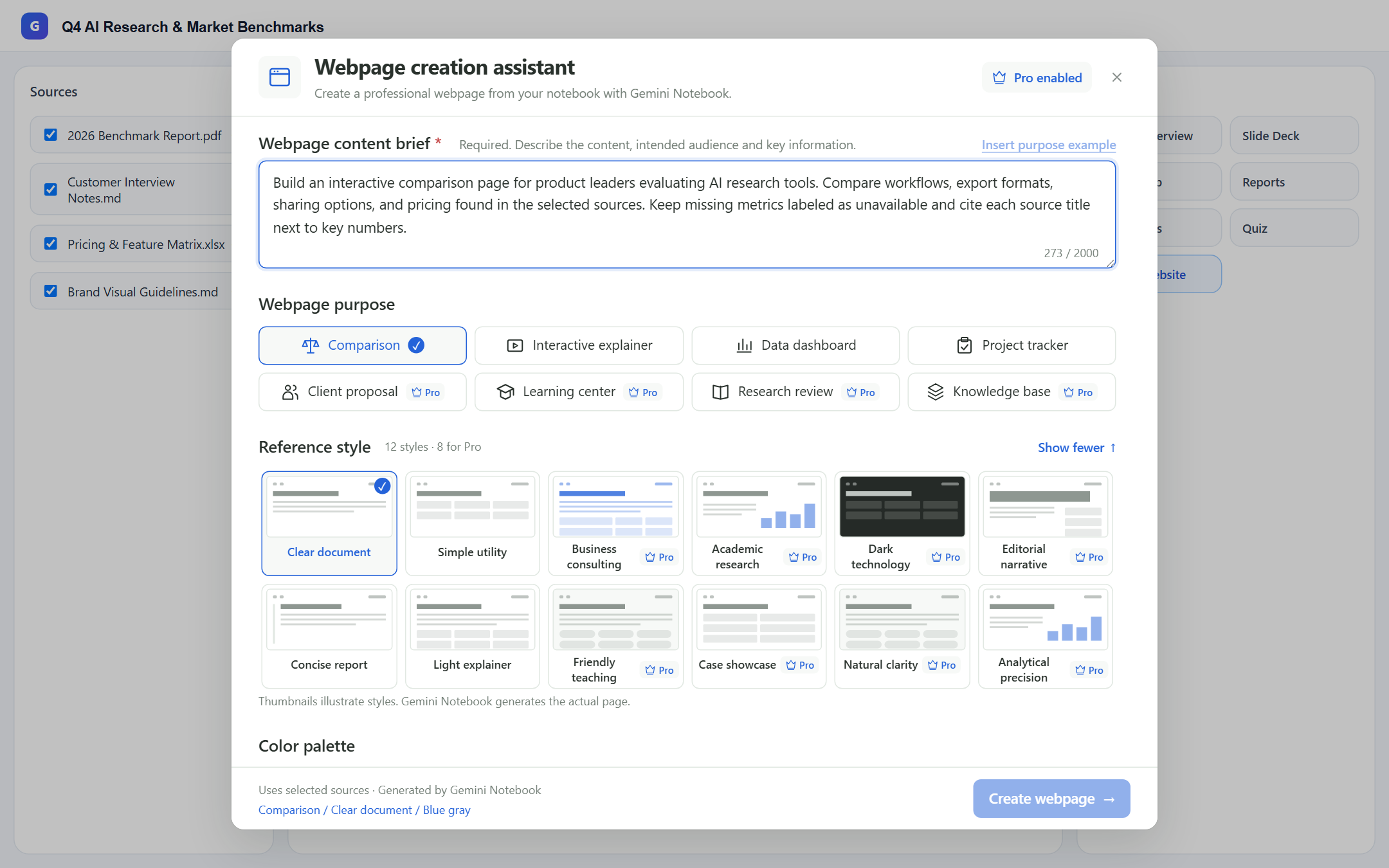
Write your content brief—or click “Insert purpose example” to start from a proven template—then choose your webpage purpose (8 options), reference style (12 options), palette, content density, language, and mobile-responsive toggle.
3. Optionally apply reusable brand guidelines or a checked brand source
Expand Brand guidelines to save reusable typography, tone, and CSS hints locally in your browser (up to 1,000 characters), or pick a checked source document. Brand guidance affects presentation only—never source facts.
4. Generate in Gemini Notebook and verify citations & interactions
Click “Create webpage →” to send the structured, evidence-grounded instruction into Gemini Notebook chat. Open the finished site in a new tab to verify numbers, citations, filters, and missing-data labels.
5. Download HTML free or publish a fullscreen link + QR code with Pro
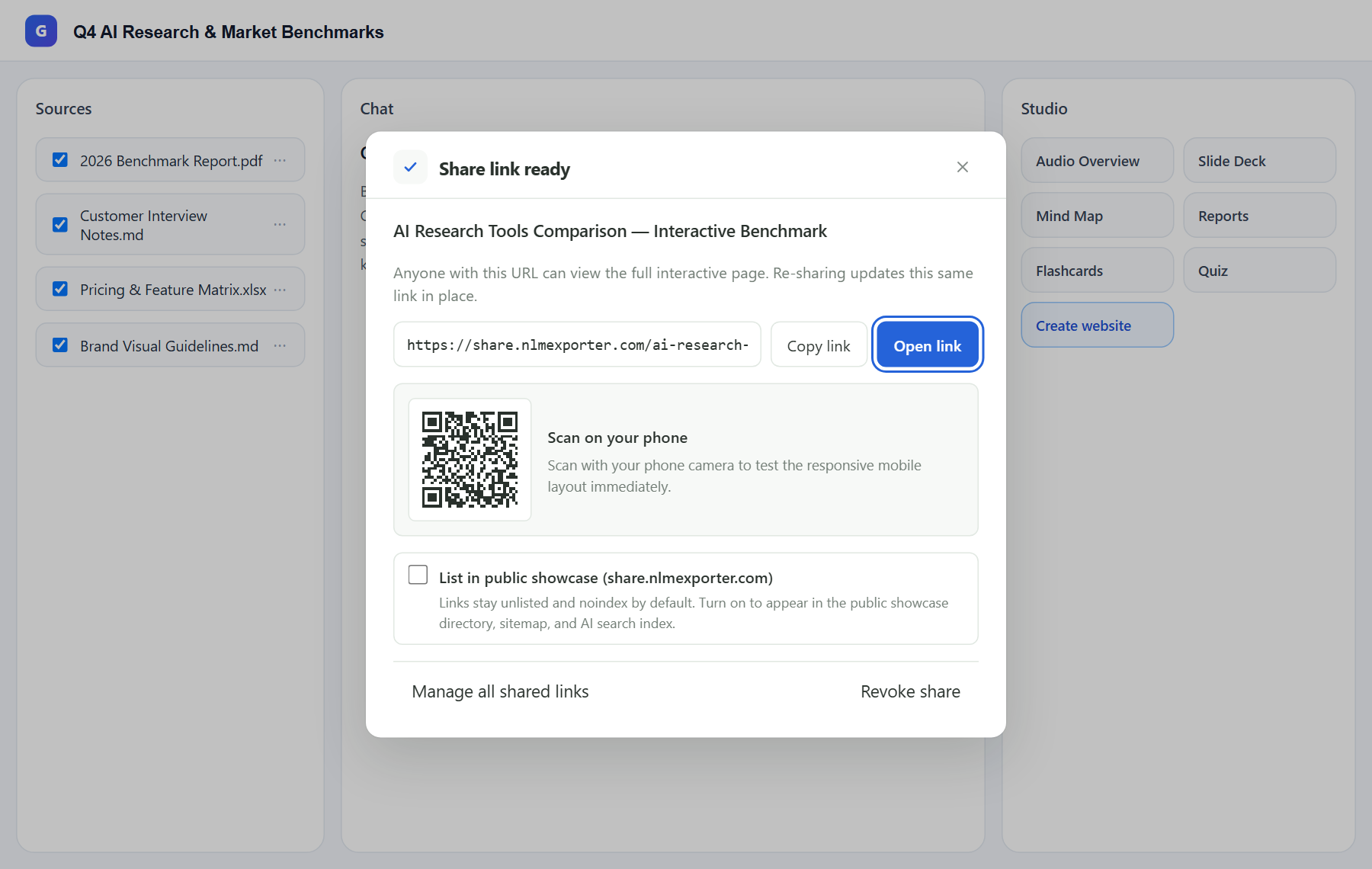
From the Studio webpage row or Dashboard → Studio Artifacts, click Export HTML (free) to save the standalone file locally, or click Create share link (Pro) to publish on share.nlmexporter.com with a phone QR code, in-place URL updates, and one-click revoke.
Real Free vs. Pro boundaries, privacy & Google generation limits
Gemini Notebook itself generates the webpage and enforces your Google account’s compute limits. Ultra Exporter’s Studio entry, 4 free purposes, 4 free styles, 4 free palettes, local brand guidelines, evidence-grounding engine, Dashboard webpage discovery, and native HTML download are free without daily extension quotas. Pro unlocks 4 additional professional purposes, 8 advanced styles, Wisteria & custom primary color, and hosted sharing on share.nlmexporter.com (up to 100 active links, 5 MB max per HTML page). Hosted shares stay unlisted (noindex) by default and are uploaded only when you explicitly click Create share link; you can revoke any link at any time.
Frequently asked questions
Can Google NotebookLM / Gemini Notebook create a website directly?
Yes. Gemini Notebook (formerly NotebookLM) supports generating interactive sites grounded in your sources via chat (“make me a site”). Ultra Exporter adds a dedicated Studio button and Webpage Creation Assistant so you get structured layouts, brand consistency, and strict citation rules without writing complex prompts by hand.
How do I share a NotebookLM generated webpage without requiring a Google login?
You have two options: on Free, download the standalone HTML file from Studio or Dashboard and host it anywhere (such as Netlify Drop or GitHub Pages). On Pro, click Create share link to publish directly to share.nlmexporter.com—anyone on desktop or mobile can open the full interactive page or scan the QR code with zero Google sign-in.
Does hosted sharing bypass Google Workspace external-sharing blocks?
Yes, once you have downloaded or exported the generated HTML within your authorized session and choose to publish it. Because share.nlmexporter.com serves the exported HTML independently, external viewers do not need access to your Workspace domain. Always follow your organization’s data-handling policies before sharing internal material.
What happens if I update my webpage after sharing the link?
No. Re-sharing the same Studio webpage artifact replaces the hosted HTML in place while keeping the exact same share.nlmexporter.com URL and QR code.
Are shared webpages indexed by Google or AI search engines automatically?
No. Every hosted share defaults to unlisted (noindex, nofollow) so only people with the link can view it. If you want search and AI discovery, you can explicitly toggle “List in public showcase (share.nlmexporter.com)” to add canonical tags, Open Graph metadata, JSON-LD, sitemap, and llms.txt indexing.
Is Ultra Exporter the first NotebookLM Chrome extension with webpage creation & hosted sharing?
Yes. While other NotebookLM extensions focus on clipping web pages as sources or exporting documents and flashcards, Ultra Exporter is the first to combine an in-page Studio Webpage Creation Assistant, reusable brand guidelines, cross-notebook webpage HTML downloads, and dedicated fullscreen hosted sharing with QR codes.
Deep-dive guides & troubleshooting (EN)
Verified sources & references
Related guides
Gemini Notebook Guide
Gemini Notebook Export Guide (Formerly NotebookLM): Word, PDF, Webpages, Anki, LMS & AI Chat Import
Export Tools Compared
Best NotebookLM Chrome Extensions Compared (2026): Native vs. Single-Purpose Tools vs. Ultra Exporter
Slides to Editable PPTX
How to Export NotebookLM Slides to Editable PowerPoint (.pptx), Outlines & Speaker Scripts
TRY IT ON YOUR OWN NOTEBOOK
Start with Free exports & webpages in Chrome.
No website account needed for basic exports or HTML webpage downloads. Test your own notebooks before deciding on Pro.