QUESTIONS · EXPORTING
Why does my NotebookLM PDF export break tables and drop links?
Direct answer
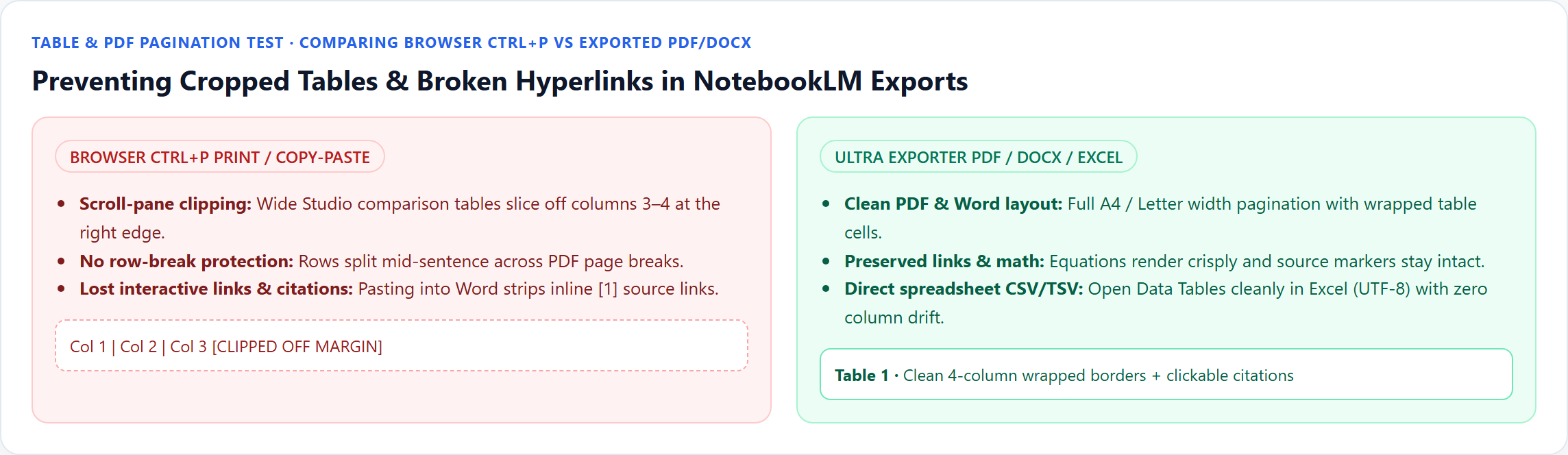
Printing directly from Chrome (Ctrl+P) breaks wide NotebookLM tables because Google’s Studio pane clips horizontal overflow and lacks print pagination rules. Exporting the note via Ultra Exporter PDF or Word wraps wide cells cleanly across A4/Letter pages, and Data Tables export directly to Excel CSV or TSV.
Best suited for
Analysts, students, and policy writers hitting sliced columns, split rows, or dead hyperlinks in NotebookLM prints and tables
Prerequisites
- A NotebookLM report, saved note, or Data Table visible inside the browser panel
What to do
- Install NotebookLM Ultra Exporter in desktop Chrome, then refresh any open NotebookLM (Gemini Notebook) tab.
- Stop using browser Ctrl+P -> Save as PDF on the open
notebooklm.google.compage. - For narratives containing tables and links, open the note and click Export -> PDF or Word (.docx) (shares 5 free exports/day, unlimited Pro).
- For standalone Studio Data Tables, click Export -> TSV / CSV (free) and open via Excel Data -> From Text/CSV (UTF-8) so zero columns split.
What to know
- Browser Ctrl+P captures only the visible scroll container — wide 4+ column tables clip off the right edge.
- Ultra Exporter PDF and Word exports preserve wrapped table cells, clickable external URLs, and rendered equations cleanly.
- For dedicated Studio Data Tables going into spreadsheets, export CSV or tab-separated text (free, unlimited) instead of scraping HTML tables.
Downloadable verified test files
Google changes these menus often. The item's own menu in your notebook shows what is built in today.
Plan requirement
The basics are free; the advanced options listed on this page need Ultra Exporter Pro. Pro covers the extension only; it does not include a Google subscription or raise NotebookLM / Gemini Notebook's own limits. Current prices are on the pricing page.
Follow-up questions
Why do pasted NotebookLM tables lose columns or turn into plain text in Word?
Google renders Studio tables inside custom scroll containers; manual Ctrl+C frequently drops borders or collapses cells. Exporting .docx directly keeps native Word table objects.
Are hyperlinks inside exported PDFs clickable?
Yes — external URLs and markdown links inside notes remain clickable annotations inside generated PDF and Word files.
Can I export a Studio Data Table to Excel without using Google Sheets first?
Yes. Ultra Exporter exports Data Tables directly as free CSV or tab-separated text (TSV) so commas inside cells never break Excel columns.
What if I have a huge 10-column matrix that looks cramped even on portrait A4?
Export as Word (.docx) and switch page orientation to Landscape in Word, or export the table directly to Excel CSV/TSV.
Verified sources & external references
- NotebookLM Help Center — Google Supportofficial
Native Google Docs/Sheets exports, Studio outputs, and source limits.
- NotebookLM Data Tables & print clipping threads — r/notebooklmcommunity
Highlights differences between native Google Sheets Data Table pushes and clean local PDF/Excel exports.
Complete workflow guide
How to Export NotebookLM Notes & Reports to Word (.docx) & PDF with Editable Equations & Tables
Stop broken `$...$` math and clipped print-to-PDF tables. Export NotebookLM / Gemini Notebook notes and reports locally to Word (.docx) with native OMML equations, clean PDF, or unlimited Markdown & LaTeX.
Related guides
NotebookLM has no print layout, so printing the page gives a cropped screenshot of the app. Export the note or report to PDF first, then print the PDF.
NotebookLM sends data tables to Google Sheets only. To get a file for Excel, open the data table with NotebookLM Ultra Exporter installed, click Export and.
Export a NotebookLM report to Word when it will be edited, and to PDF when it will only be read, printed or archived.
How to Export NotebookLM notes to PDF. You get a print-ready PDF of the note with its headings, tables and citation references.
No tool automatically turns NotebookLM’s flattened raster illustrations into native PowerPoint Excel charts.
Export with footnotes enabled via Ultra Exporter so every claim retains its numbered source marker, open the cited source file directly to confirm quotes and.
Moodle throws "Invalid xml file — string expected (use CDATA?)" when hand-edited scripts or unescaped exports leave raw `<`, `>`, `&`, or HTML tags inside.
NotebookLM only exports one note at a time to Google Docs and cannot merge multiple notes into one document.