QUESTIONS · ABOUT THE EXTENSION
How to fix blank or incomplete files when exporting NotebookLM
Direct answer
Blank or incomplete exports happen when the NotebookLM panel is still lazy-loading, a quiz or flashcard viewer was closed before clicking Export, or Chrome blocked multiple downloads from a batch run. Keep the target view visible on screen, scroll long chats upward first, and allow Chrome automatic multiple downloads.
Best suited for
Users seeing blank Word/Markdown downloads, missing early chat messages, or truncated quiz/mind-map exports
Prerequisites
- Active notebook opened in desktop Chrome with the target note, chat, mind map, quiz, or table visible
What to do
- Install NotebookLM Ultra Exporter in desktop Chrome, then refresh any open NotebookLM (Gemini Notebook) tab.
- Keep the specific note, opened quiz, flashcard deck, or mind map open on screen — do not collapse or navigate away mid-export.
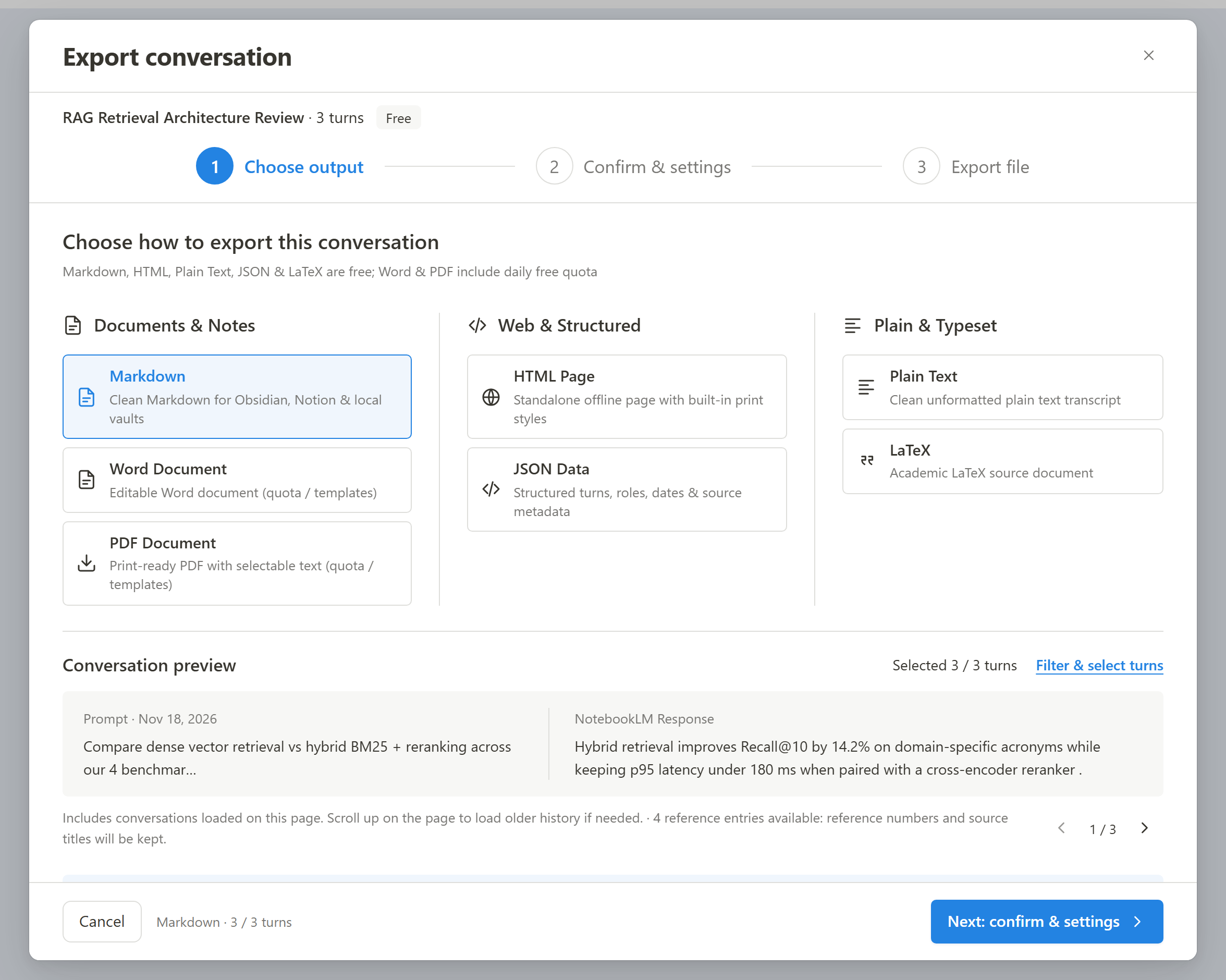
- For Chat History, scroll smoothly from bottom to top once so Google mounts every earlier turn into memory, then click Export.
- If exporting multiple items stops after 1 file, check Chrome’s right-hand address bar for the blocked Multiple downloads -> Always allow prompt.
- Refresh the tab cleanly once (
Ctrl+R) if Chrome tab hibernation ("Memory Saver") suspended background Studio panels.
What to know
- Long chat threads virtualize older prompts out of the DOM until you scroll up to load them.
- Studio items (Quizzes, Flashcards, Mind Maps, Infographics) must be opened in Studio and finished rendering before export.
- Batch exports of several files trigger Chrome’s "Download multiple files" permission prompt at the top address bar.
Memory Saver & permissions check
- Chrome Memory Saver sleeps inactive NotebookLM tabs after idle periods, clearing unmounted Studio sub-panels until reload.
- Local file exports work entirely in-browser — temporary blank results resolve reliably once the target panel mounts fully in the visible tab.
Google changes these menus often. The item's own menu in your notebook shows what is built in today.
Plan requirement
Free, with no daily export quota and no website account needed. Pro covers the extension only; it does not include a Google subscription or raise NotebookLM / Gemini Notebook's own limits. Current prices are on the pricing page.
Follow-up questions
Why were only the last 4 chat messages exported instead of all 30?
NotebookLM lazily unloads off-screen top messages in long chats until you scroll upward. Scroll up cleanly so earlier prompts render before triggering Chat Export.
Batch export downloaded 1 file and stopped — what blocked the rest?
Google Chrome blocks multi-file downloads by default on first run. Click the small download-blocked icon in the URL bar and choose Always allow for notebooklm.google.com.
Why did my mind map export miss collapsed child items before?
Google’s built-in PNG download only captures currently expanded nodes. Ultra Exporter’s free OPML/FreeMind/Markdown/HTML exports traverse collapsed branches automatically once the Mind Map viewer is open.
Why does Anki say 0 cards or weird columns after importing a CSV?
That comes from NotebookLM’s native CSV rather than an empty file. Re-export using Ultra Exporter’s free Anki TSV or Pro .apkg — see broken Anki flashcards fix.
Verified sources & external references
- NotebookLM Help Center & Source Limits — Google Supportofficial
Covers 50 free / up to 600 paid source limits, 500k words / 200 MB per source, and flat notebook homepage behavior.
Complete workflow guide
How to Export Full NotebookLM Chat History with Citations (Markdown, Word, PDF & LaTeX)
NotebookLM has no native “Export chat” button. Select specific Q&A turns, preserve numbered source citations, edit before export (Pro), and save locally to Markdown, LaTeX, HTML, JSON, TXT, Word or PDF.
Related guides
Usually the notebook tab was open before the extension was installed or updated. Refresh the tab.
NotebookLM’s native flashcard CSV omits Anki file headers, leaves Markdown asterisks and raw $...$ math unconverted, and breaks whenever card text contains.
Not with NotebookLM itself. Gemini Notebook saves your chat history to the notebook but has no export or download for it; you can only copy a single reply or.
Start from the gap you need filled. Extensions for NotebookLM fall into three groups: importers that add web pages and videos, exporters that get notes.
Yes, the core is free and needs no account. Markdown, LaTeX, text, HTML, JSON, mind map, flashcard and quiz exports have no daily quota.
Free has three kinds of limit. Premium export formats, meaning Word, PDF, image PowerPoint, long image and video, share 5 successful exports per local day.
NotebookLM Ultra Exporter is an independent Chrome extension distributed through the Chrome Web Store.
Open the NotebookLM Ultra Exporter page in the Chrome Web Store, click Add to Chrome and confirm.