# Quizlet vs Anki vs printable/offline HTML for NotebookLM flashcards
Source: https://nlmexporter.com/guides/compare/quizlet-vs-anki-vs-offline-html-for-notebooklm-flashcards
Section: Compare
Last verified: 2026-11-18 (Extension v1.2.16, Desktop Chrome 131 & official format specs reviewed November 2026)
Plan: Free + Pro
Choose Anki TSV (free) or .apkg (Pro) when you need multi-month spaced repetition and math equations; choose Quizlet text (free) when sharing quick web sets with a study group; and choose Offline HTML or printable PDF when you want zero-install browser drills or paper study sheets.
## Who this is for & prerequisites
- **Target audience:** Students and tutors choosing the best destination for NotebookLM flashcards across long-term retention, group games, or printable/offline review
- **Prerequisites:** A generated Flashcard deck inside NotebookLM Studio
## Anki (TSV / .apkg) vs Quizlet & Offline HTML: side by side
| Dimension | Anki (TSV / .apkg) | Quizlet & Offline HTML |
| --- | --- | --- |
| Best use case | Long-term med/law/language FSRS scheduling | Quizlet: quick web sharing; Offline HTML/PDF: zero-setup or paper drill |
| Setup friction | Anki TSV via File->Import (free) or 1-click .apkg (Pro) | Paste into Quizlet Import, or double-click `.html` in Chrome |
| Equations & formatting | Preserves KaTeX/MathJax `\(...\)` & bold HTML | Offline HTML renders KaTeX crisply; Quizlet converts to plain text |
| Works without internet | Yes (full desktop & mobile sync) | Offline HTML works 100% offline in any browser; Quizlet web needs connection |
| Printable study sheet | Use PDF / Markdown export instead | Printable single-page grid (free) or double-sided duplex flashcards (Pro) |
## When to pick each option
- Choose **Anki (TSV / .apkg)** if you are studying heavy coursework for exams months away and want scheduled spaced repetition without comma CSV errors.
- Choose **Quizlet & Offline HTML** if you want classmates flipping cards in two minutes without installing Anki, or want a paper/offline study sheet.
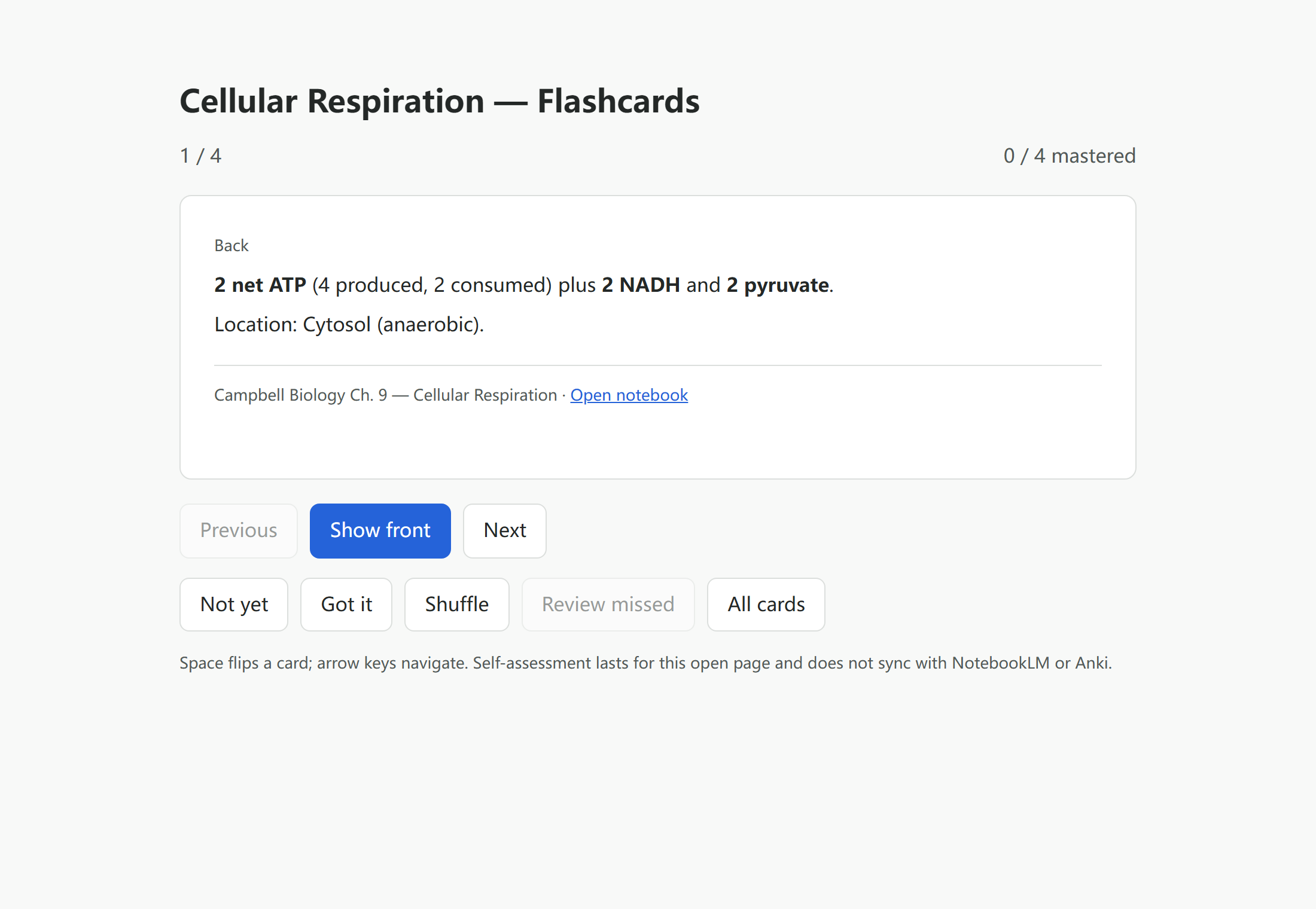
*Offline HTML exports bundle interactive flip animations and keyboard shortcuts inside a single HTML file.*
- [Sample Offline HTML Flashcards (.html) (HTML · 9.8 KB)](https://nlmexporter.com/assets/samples/en/cellular-respiration-flashcards.html) — Zero-install browser flashcard deck generated cleanly from src/lib/flashcards.
- [Sample Free Anki TSV (.anki.tsv) (TSV · 997 B)](https://nlmexporter.com/assets/samples/en/cellular-respiration.anki.tsv) — Tab-separated UTF-8 deck ready for Anki File -> Import.
## Frequently asked questions
### Anki (TSV / .apkg) or Quizlet & Offline HTML: which is better for NotebookLM / Gemini Notebook?
Neither in general. Choose Anki (TSV / .apkg) if you are studying heavy coursework for exams months away and want scheduled spaced repetition without comma CSV errors. Choose Quizlet & Offline HTML if you want classmates flipping cards in two minutes without installing Anki, or want a paper/offline study sheet.
### Can I export the same NotebookLM flashcard deck to Anki, Quizlet, and Offline HTML?
Yes — all three basic flashcard formats (Anki TSV, Quizlet text, Offline HTML) are free with zero daily export limit.
### How do I print NotebookLM flashcards on paper or duplex index sheets?
Pick printable PDF inside the flashcard exporter for paper study sheets; double-sided duplex print layout requires Pro.
## Verified sources & references
- [Anki Manual — Text Import & MathJax](https://docs.ankiweb.net/importing/text-files.html) (platform) — Spaced repetition text import rules.
- [Quizlet Help — Creating sets by importing data](https://help.quizlet.com/hc/en-us/articles/360030986752-Creating-sets-by-importing-data) (platform) — Copy-paste delimiter preview instructions.
## Complete workflow guide
- [How to Export NotebookLM Flashcards to Anki (.apkg, TSV, Quizlet & Duplex PDF)](https://nlmexporter.com/guides/export-notebooklm-flashcards-to-anki) — Export NotebookLM / Gemini Notebook flashcards to pre-headered Anki TSV, Quizlet, Markdown, HTML, XLSX, CSV or PDF free without daily limits—or build .apkg decks and duplex PDFs with Pro.
## Related guides
- [Anki vs Quizlet for NotebookLM flashcards](https://nlmexporter.com/guides/compare/anki-vs-quizlet)
- [Anki text file vs APKG: which NotebookLM flashcard export?](https://nlmexporter.com/guides/compare/anki-tsv-vs-apkg)
- [How to Export NotebookLM flashcards to an offline practice page](https://nlmexporter.com/guides/export/flashcards-to-offline-html)
- [How to Move NotebookLM Flashcards to Anki](https://nlmexporter.com/guides/integrations/notebooklm-to-anki)
- [NotebookLM Quiz Exporter vs Ultra Exporter for Canvas and Moodle](https://nlmexporter.com/guides/compare/notebooklm-quiz-exporter-vs-ultra-exporter-for-canvas-and-moodle)
- [Best ways to export NotebookLM flashcards to Anki in 2026](https://nlmexporter.com/guides/compare/best-ways-to-export-notebooklm-flashcards-to-anki)